Timastra on mobile

Timastra Password Vault
Keep passwords, 2FA codes and secure notes in an encrypted vault, with optional encrypted Google Drive sync. Optional paid access follows a trial.
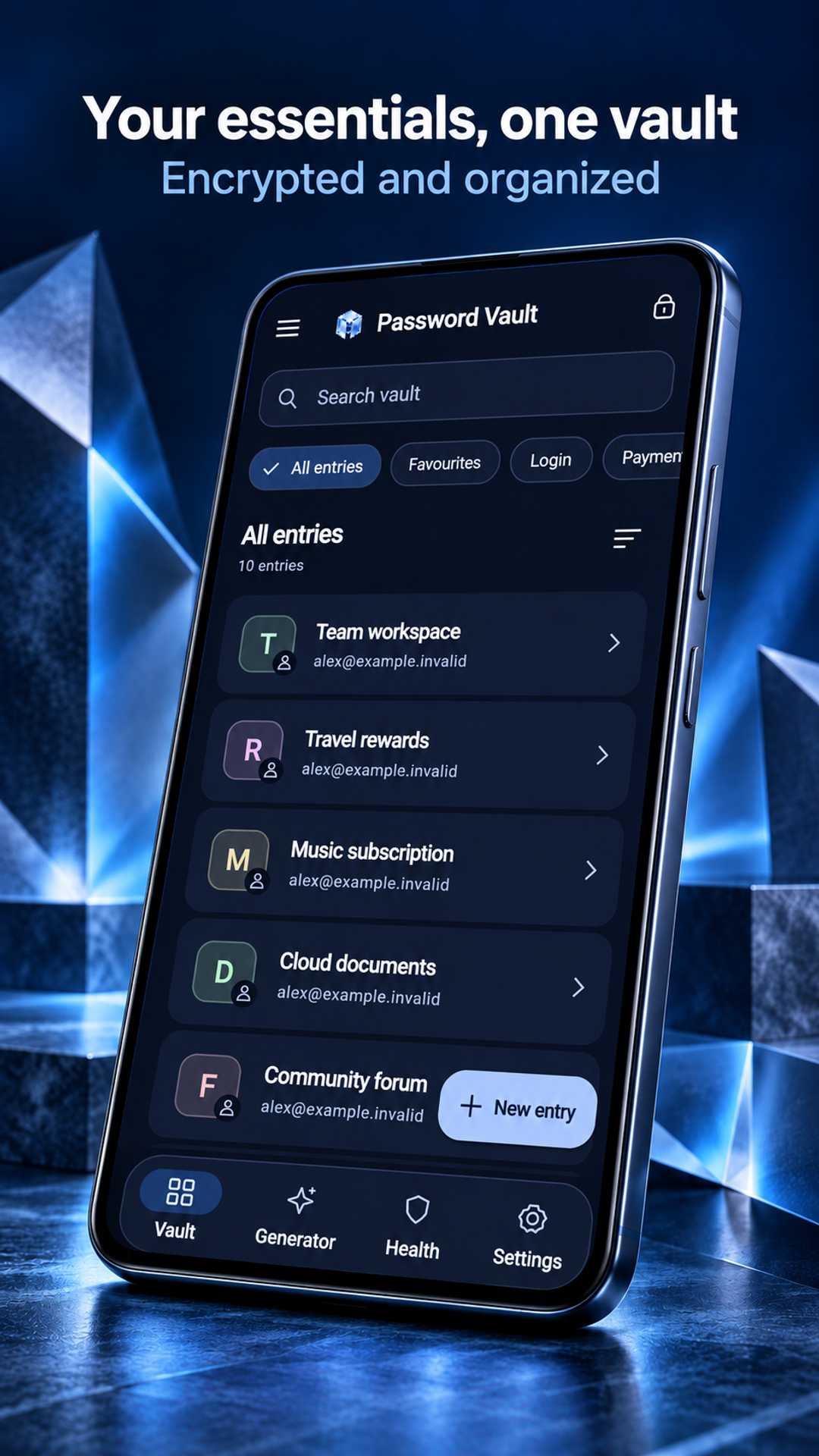
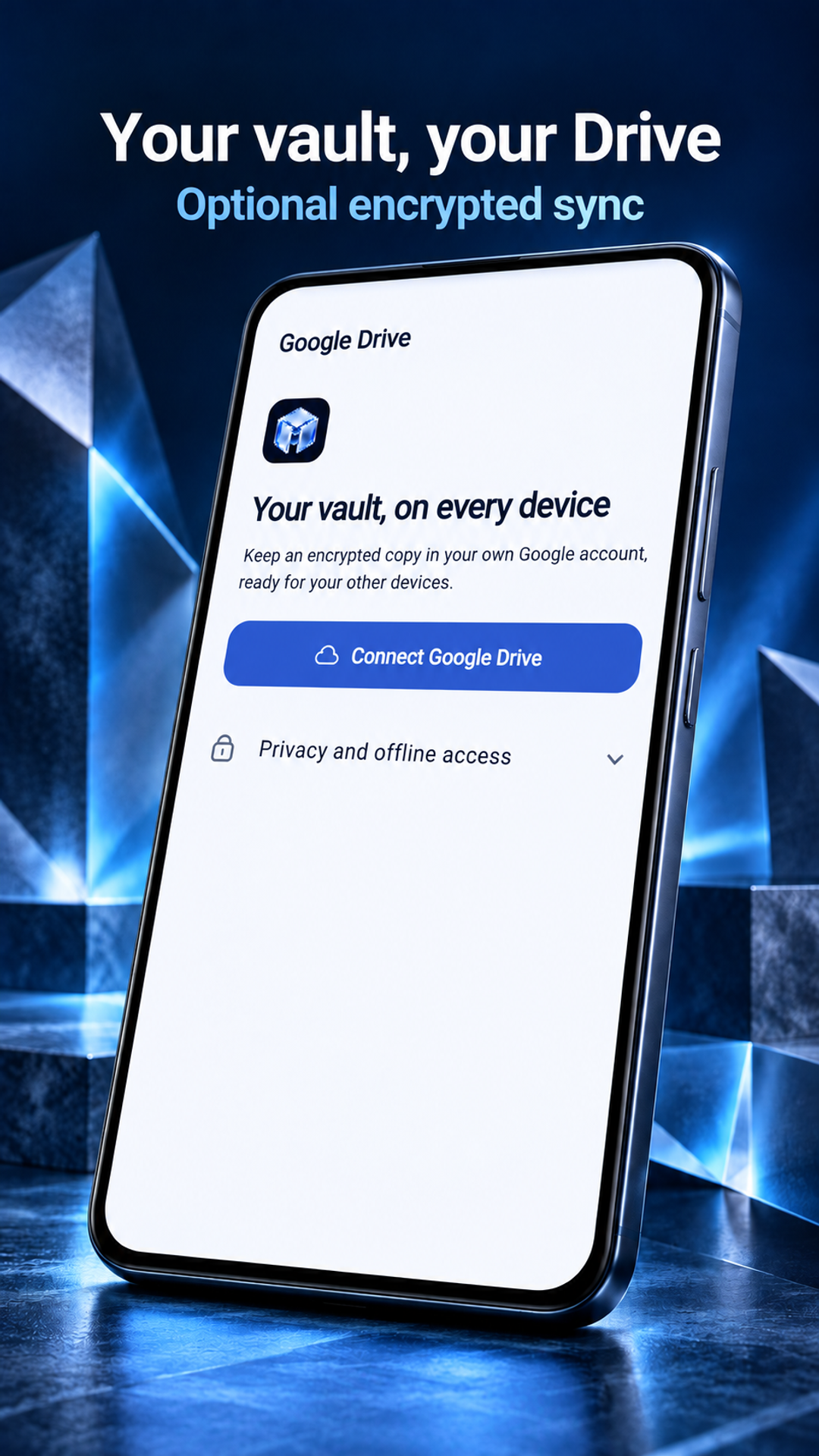
Organize logins, one-time codes, keys, cards and secure notes in an encrypted vault. Work offline, or connect your own Google Drive to open the same vault on supported Android, Windows and Linux versions. Generate passwords locally and review weak or reused passwords. Ordinary use needs no Timastra-hosted account.
Available to download
Check Google Play for your device and country · listing checked 2026-11-09
Desktop development
Windows and Linux implementations are in evaluation and release preparation. No public desktop download is verified here. macOS and iOS availability is not established by their configured build targets.
Ask about desktop availabilityWhat you can do
- Keep logins and live TOTP two-factor codes together, alongside cards, API keys, server details, secure notes and attachments.
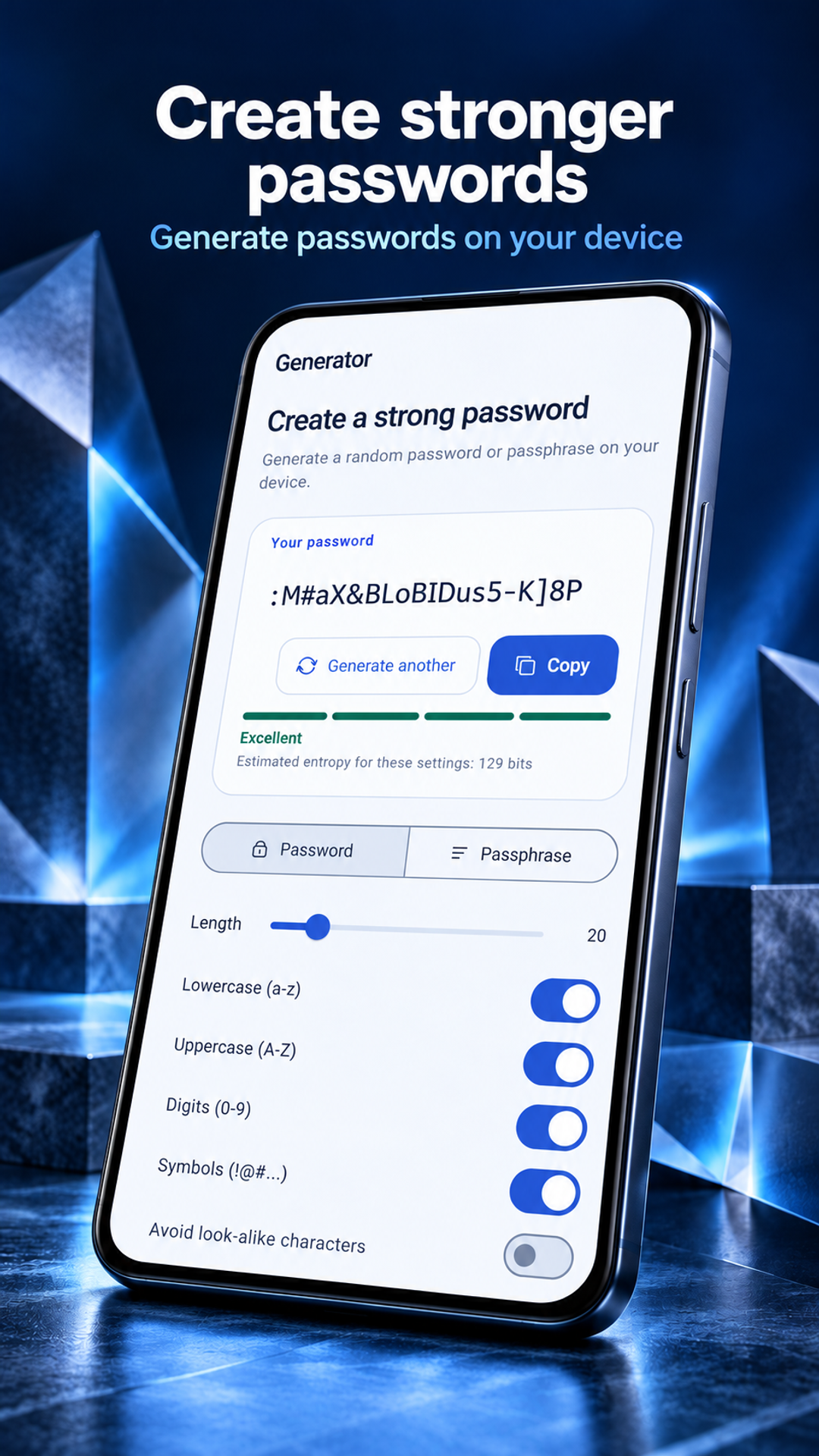
- Generate passwords and passphrases on your device. Review weak or reused passwords and choose whether to run an optional public breach check.
- Use Android autofill and supported passkeys where the device, app or website allows. Organize folders and tags, and optionally sync an encrypted vault file through your own Google Drive account.
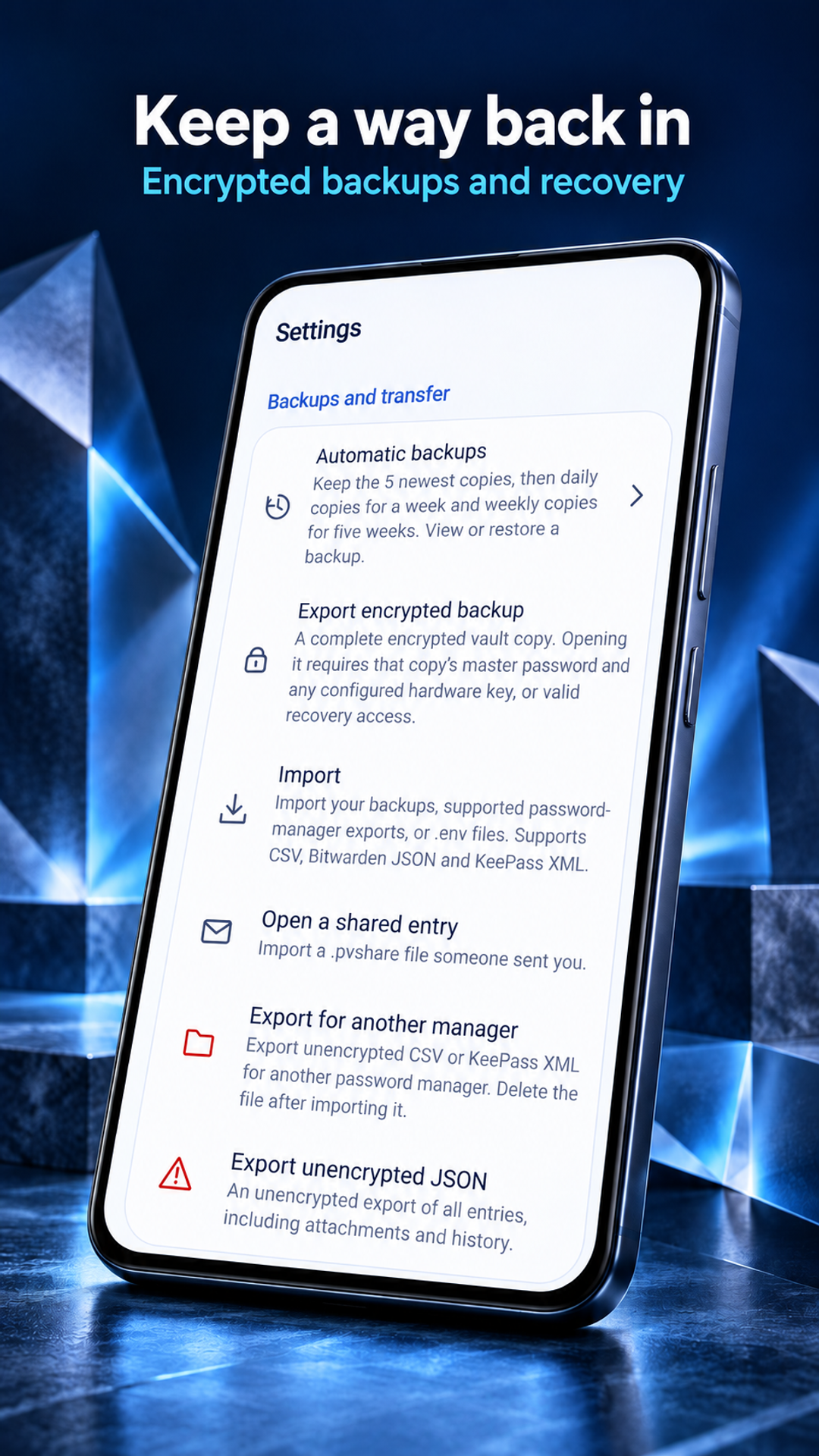
- Make encrypted backups and keep recovery material safe. After the 14-day trial, active paid access is needed for new entries, attachments, passkeys and imports; existing entries, export, backup, sync and recovery remain available.
Review the app’s privacy, support and deletion information. Google Play confirms availability for your device and country; features may differ by installed version.
A closer look
Inside Timastra Password Vault
Published Google Play screenshots, checked 31 October 2026. Sample content and store presentation framing are shown. Select a screen to view it full size.

Questions about Timastra Password Vault
Does Timastra Password Vault upload my passwords or require an account?
Ordinary vault use needs no Timastra-hosted account. The vault works offline. If you choose Google Drive sync, vault contents are encrypted before upload to your own Google account and unlocked locally with the vault's master password. Supported Android, Windows and Linux versions can open that vault. Optional purchases use Google Play and RevenueCat without sending vault content. Optional breach checks and connected sharing require separate choices and setup.
What happens after the Timastra Password Vault trial?
Google Play builds include a 14-day trial. Afterward, adding entries, attachments, passkeys or imports requires active paid access, with monthly, yearly or one-time lifetime options where offered. Existing entries stay readable, copyable, usable for autofill and editable. Export, backup, sync and recovery remain available. Google Play shows actual prices and purchase or renewal terms before confirmation.
Can Timastra Password Vault generate passwords and show 2FA codes offline?
Yes. The password and passphrase generator and TOTP codes run on your device. TOTP needs a correctly configured secret and device clock. Android autofill depends on the selected service and the app or website receiving it. Purchases, optional online breach checks and configured sharing need connectivity.
Can Timastra recover a forgotten master password?
Timastra cannot recover your vault without the recovery material required by your installed version. Keep an encrypted backup and recovery information somewhere safe and separate from the device. Restoring a Premium purchase does not restore vault contents. Review files and sharing destinations carefully; revoking a shared snapshot cannot erase copies already downloaded by a recipient.
Need a hand?
Find help for Timastra Password Vault, or ask us about access on your device.
Visit app support